Roche Renovate Bot
What is the Roche Renovate bot
The Renovate Bot is an open source tool which automatically scans and updates your software dependencies in your Git repository using pull requests.
The Roche Renovate Bot is adapted to our internal GitLab installation: code.roche.com.
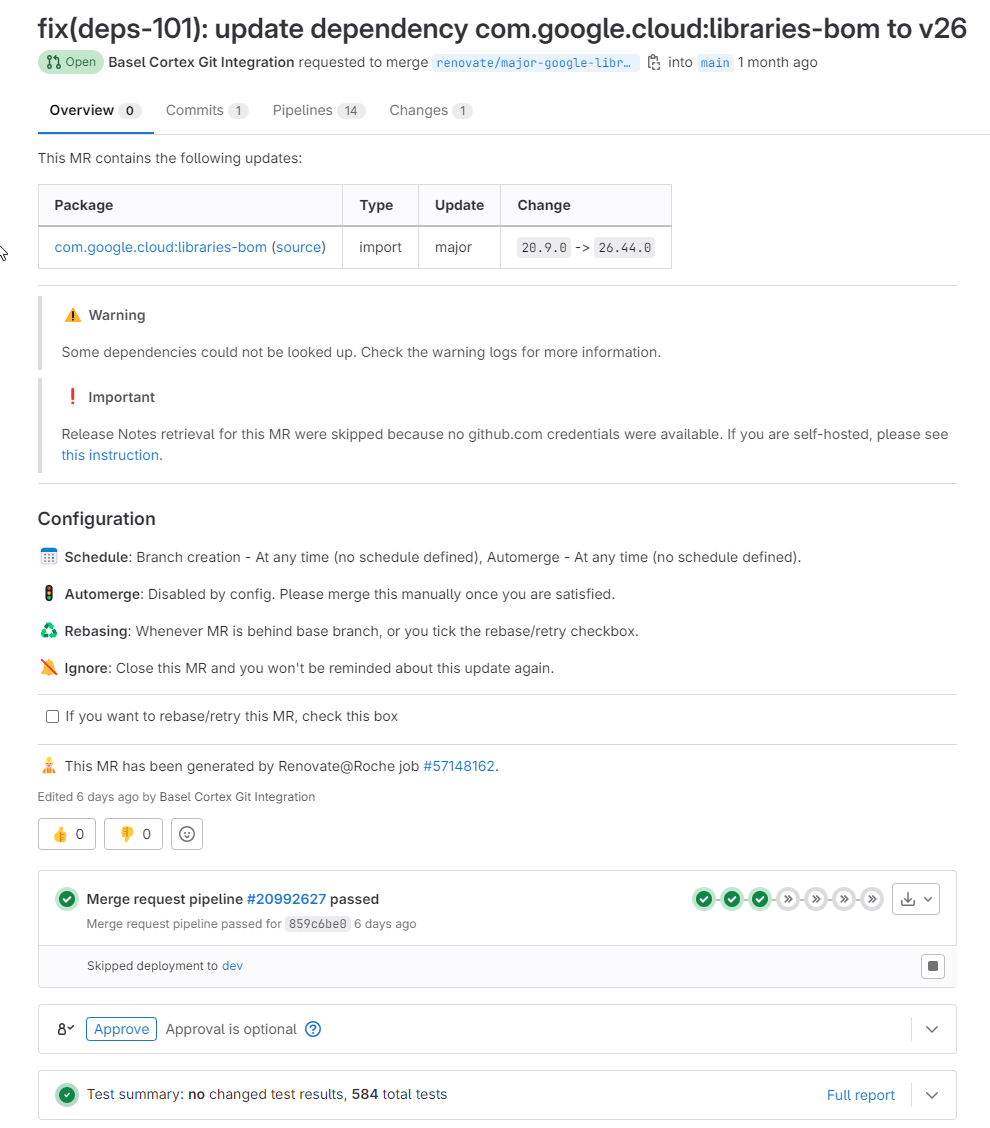
Below we can find an example of the Roche Renovate Bot pull request:
Why use the Roche Renovate bot?
-
Automatic updates. (Get pull requests to update your dependencies and lock files)
-
Works out of the box. (Renovate finds relevant package files automatically, including in monorepos)
-
Share your configuration. (Share your configuration with ESLint-like config presets)
-
On your schedule. (Reduce noise by scheduling when Renovate creates PRs)
-
How you like it. (You can customize the bot’s behavior with configuration files)
-
Out with the old, in with the new. (Get replacement PRs to migrate from a deprecated dependency to the community suggested replacement, works with most managers, see issue 14149 for exceptions)
-
Open source. (Renovate is licensed under the GNU Affero General Public License)
Getting started
- The Renovate Bot can be executed as
-
-
Open source npm package
-
Self-hosted installation using an open source Docker image (this is how the Roche Renovate Bot is running)
-
using the Renovate App which is hosted by Mend.
-
The Roche way to use the Renovate Bot(Sally the Alpaca Bot) for code.roche.com is to use Self-hosted installation provisioned and maintained by the DeveloperHub team.
Step-by-step instructions in how to set up and associate with your repository the Roche Renovate Bot: https://devhub.roche.com/docs/default/Component/fk-renovate-roche
Additional information
Roche Renovate Bot repository: https://code.roche.com/gitlab/renovate-roche/
The Official Renovate Bot documentation: https://docs.renovatebot.com/
F.A.Q.
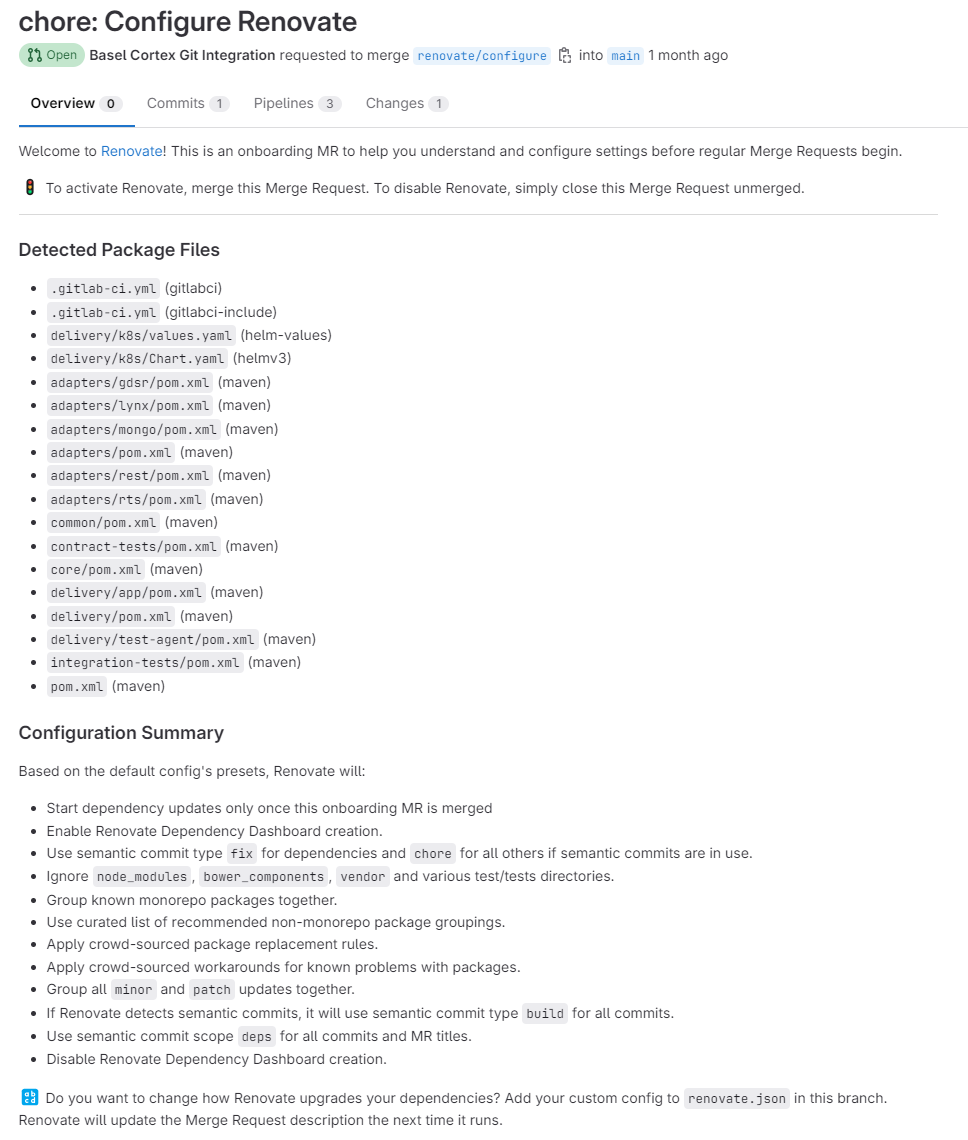
Q: How is the initial configuration created in my repository if I just add Sally the Alpaca as the maintainer?
A: The Roche renovate Bot will issue an initial pull request with a local renovate.json file
{
  "$schema": "https://docs.renovatebot.com/renovate-schema.json",
  "extends": [
    "config:recommended",
    "group:allNonMajor",
    ":semanticCommitTypeAll(build)",
    ":semanticCommitScope(deps)",
    ":disableDependencyDashboard"
  ],
  "assignees": [
    "🚧 TODO: specify user logins and Renovate will the update MRs to them",
    "🚧 TODO: user ID #2 (or remove this list item)"
  ],
  "labels": [
    "Type::Maintenance"
  ],
  "rebaseWhen": "behind-base-branch",
  "prHourlyLimit": 10
}
And the pull request contains also a series of useful information:
Q: I have invited Sally the Alpaca Bot to maintainers, but the configuration MR was not opened.
A: The Roche Renovate Bot opens branch called renovate/configure with commit title chore: Configure renovate. If your branch name rules or commit message rules are not compatible with these, then Sally the Alpaca will not be able to open the MR; consider ammending the rules or temporarily removing them.
Q: What can I do if the Roche Renovate Bot (Sally the Alpaca Bot) can’t access my private registries or I want to change the scanning frequency?
A: Please reach out to the DevHub team. Alternatively you could fork the Roche repository and set up the bot in your GitLab Group, but you have to maintain the entire infrastructure and configuration.
Gitlab pipeline example
stages:
  - repositories
  - renovate

default:
  tags:
    - devops-gitlab-runner

variables:
  LOG_LEVEL: info
  FF_TIMESTAMPS: true
  #LOG_FORMAT: json

#Function disabled (waiting for validation of all repos)
repositories:
  image: [GitLab runner image]
  stage: repositories
  script:
    - node index.js
    - cat repositories.json
  artifacts:
    paths:
      - repositories.json


renovate:
  image:
    name: [Renovate image]
    entrypoint: [""]
  needs:
    - repositories
  stage: renovate
  before_script:
    - |
      mkdir ~/.aws
      cat $DEV_AWS_TERRAFORM_SA >>  ~/.aws/credentials
      export CODEARTIFACT_AUTH_TOKEN=`aws codeartifact get-authorization-token --domain [AWS artifact domain] --domain-owner [AWS account] --region eu-central-1 --query authorizationToken --output text`
      export NPM_CODEARTIFACT_AUTH_TOKEN=`aws codeartifact get-authorization-token --domain [AWS artifact domain] --domain-owner [AWS account] --region eu-central-1 --query authorizationToken --output text`
      cat $AWS_DOCKER_CONFIG >> /docker/config.json
      export DOCKER_CONFIG=/docker

    - export RENOVATE_CONFIG_FILE="$(pwd)/config.js"
    - |
      if [ "$CI_DEFAULT_BRANCH" != "$CI_COMMIT_BRANCH" ]; then
        export RENOVATE_ARGS="--dry-run"
      fi
  script:
    - echo $RENOVATE_ARGS
    - renovate $RENOVATE_ARGS